Checklist Documentation
 |
Home | Accounts | Setup | Verify | Play | Hacks |
Checklist API Overview
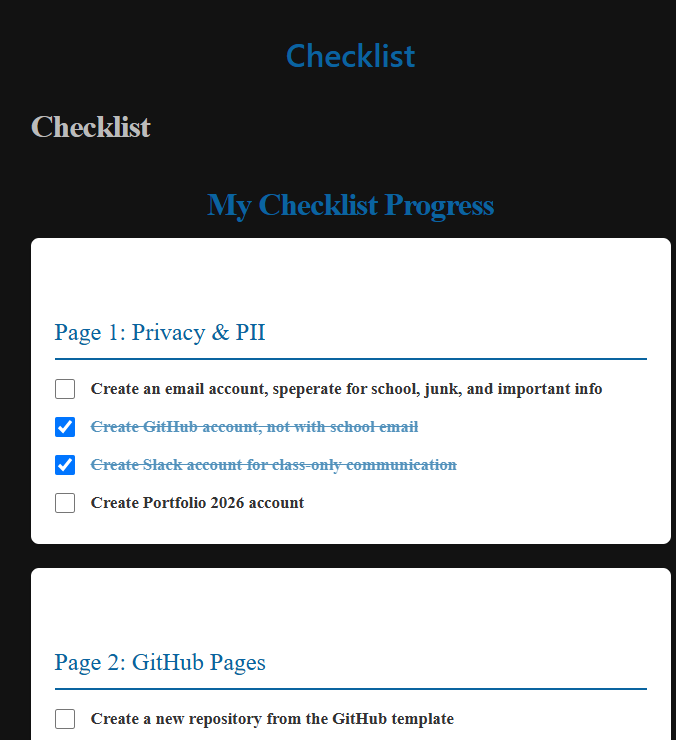
This API handles progress tracking for user checklists. It supports creating a new checklist, retrieving progress, updating progress, and deleting a checklist. All endpoints use JSON and require a user field.
GET /api/checklist?user=username
What it does:
Fetches a user’s checklist progress from the database.
How it works:
- Takes a query parameter
user. - Looks up the checklist for that user.
- Returns the checklist if found, otherwise returns an error.
Returns:
{
  "user": "student1",
  "progress": {
    "Install Python": true,
    "Set up GitHub": false
  }
}
POST /api/checklist
What it does:
Creates a new checklist for a user.
Request Body:
{
  "user": "student1",
  "progress": {
    "Install Python": true,
    "Set up GitHub": false
  }
}
How it works:
- Accepts JSON with
userandprogress. - Checks if a checklist already exists for the user.
- If not, creates a new record and saves it to the database.
- Returns the created checklist or an error if one already exists.
PUT /api/checklist
What it does:
Updates an existing checklist for a user.
Request Body:
  "user": "student1",
  "progress": {
    "Install Python": true,
    "Set up GitHub": true
  }
How it works:
- Accepts JSON with user and updated progress.
- Finds the user’s checklist.
- Updates the progress values.
- Returns a success message or an error if the checklist isn’t found.
Response:
{
  "message": "Checklist updated",
  "progress": {
    "Install Python": true,
    "Set up GitHub": true
  }
}
DELETE /api/checklist
What it does:
Deletes a user’s checklist from the database.
Request Body:
{
  "user": "student1"
}
How it works:
- Accepts JSON with user.
- Looks up and deletes the checklist record.
- Returns a confirmation message or an error if the checklist doesn’t exist.
Response:
{
  "message": "Checklist for student1 deleted"
}
This API is defined using Flask with RESTful routing and is backed by a model (ChecklistProgress) that handles database operations like create, read, update, and delete.
Frontend: