GitHub Pages
This page will teach you how to set up GitHub Pages on a browser version of VSCode
This page will teach you how to run GitHub Pages using the browser version of Visual Studio Code (VSCode)
What is GitHub Pages?
GitHub Pages is a free service provided by GitHub that allows you to host static websites directly from a GitHub repository. It’s perfect for project documentation, portfolios, and personal websites. Once your site is published, it can be accessed through a unique GitHub URL — no extra hosting setup required!

What is Visual Studio Code?
Visual Studio Code (VSCode) is a free, open-source code editor developed by Microsoft. It’s lightweight, highly customizable, and supports many programming languages. It includes powerful features like syntax highlighting, debugging tools, Git integration, and extensions.
Even better: you can use VSCode in your browser by visiting vscode.dev — no installation required!
First Steps: Start Your Own Site
1. Click the link below to open the starter repository: 🔗 Mr. Mortenson's Repository
2. On the GitHub page, click the green "Use this template" button.
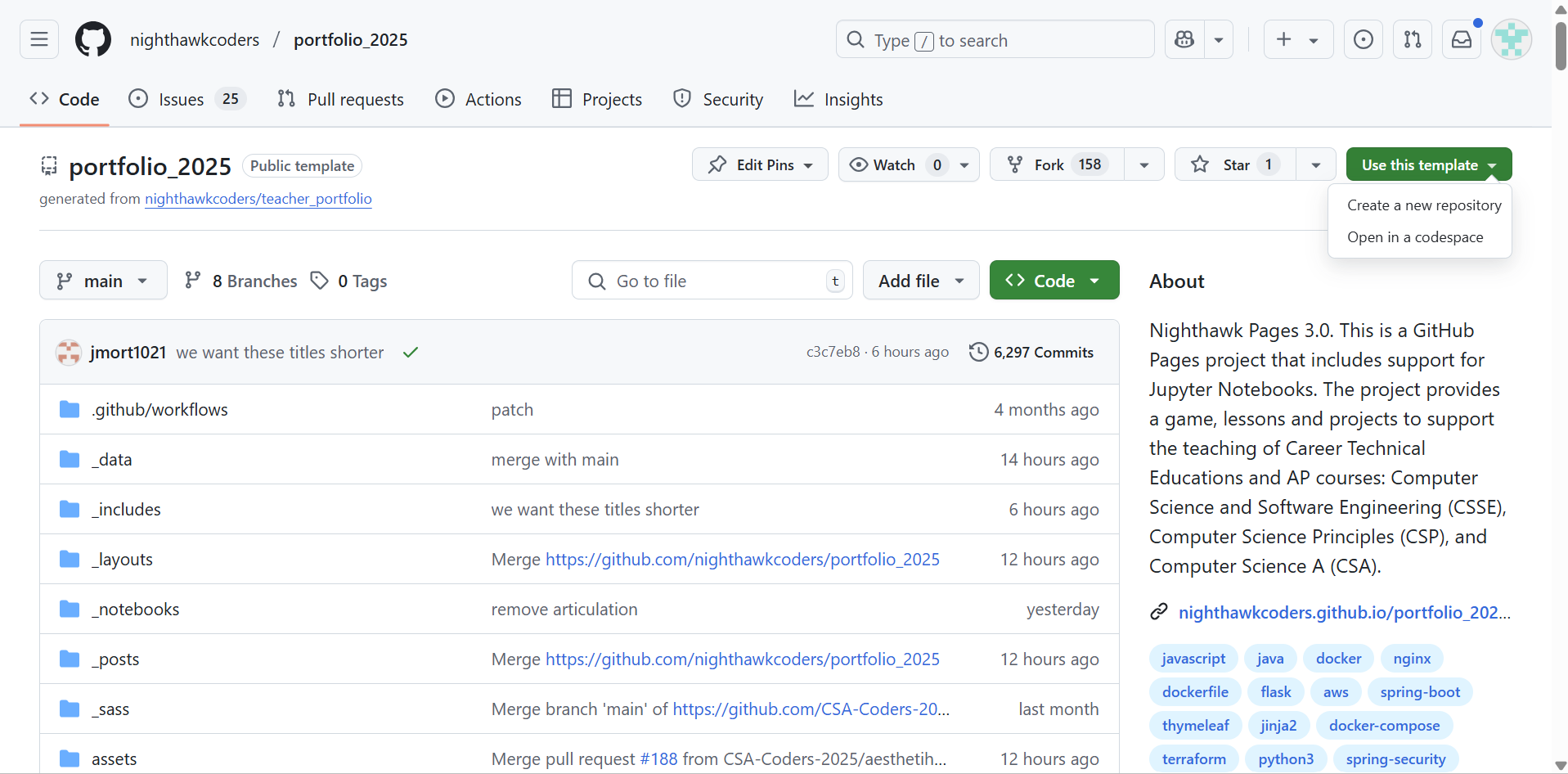
3. Select “Create a new repository”.
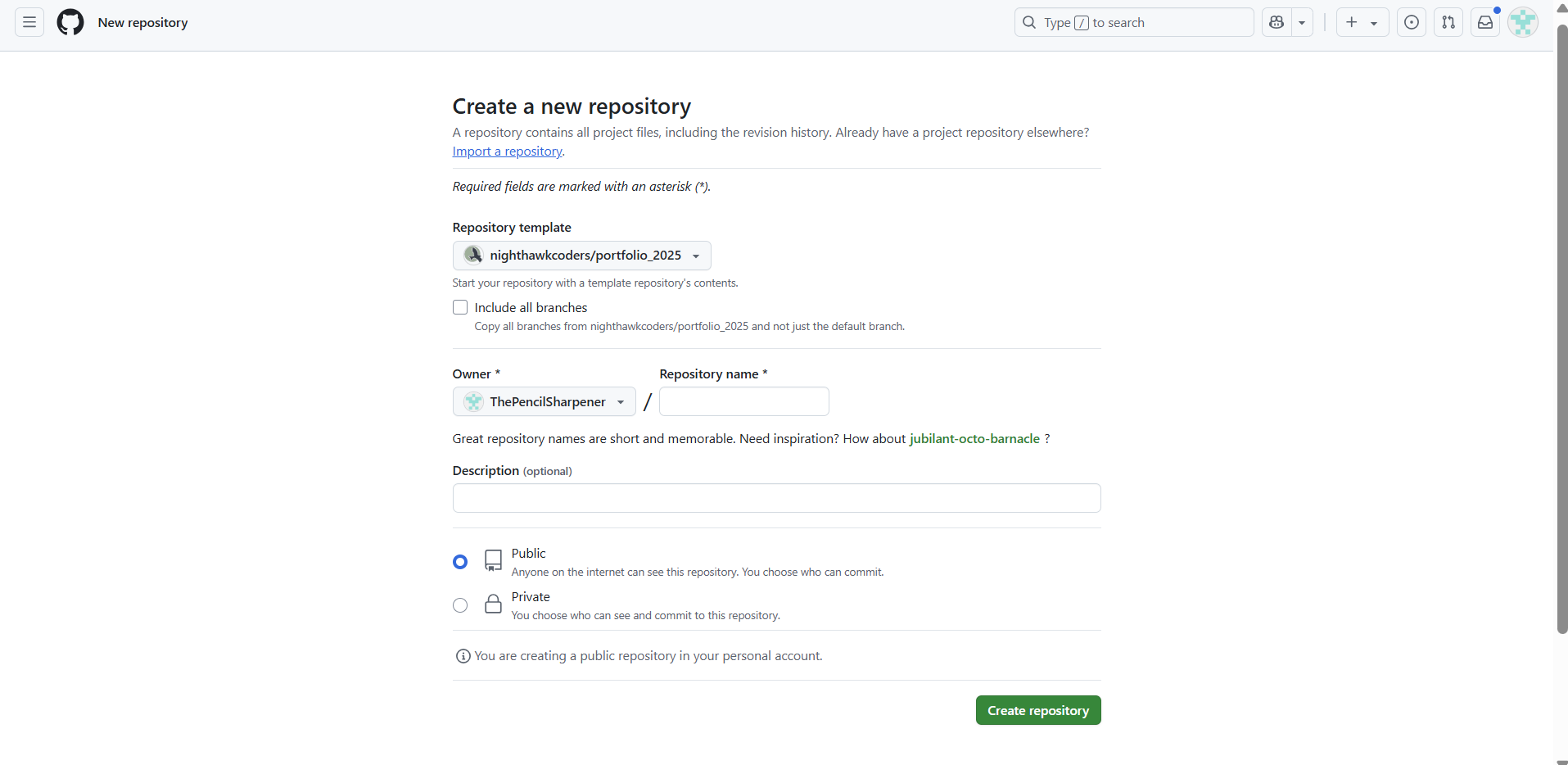
4. Give your new repository a name — follow Mr. Mortenson’s instructions for naming it.
Next Steps: Edit Your Site in the Browser
Now that you've created your own copy of the site:
- Open a new browser tab.
- Type the following URL, and please remember to replace the placeholders:
vscode.dev/github/YOUR_GITHUB_USERNAME/YOUR_REPOSITORY_NAMEYou can write and edit your HTML, CSS, and JavaScript files directly in your browser.
Be sure to commit any changes you make so they appear on your live website.
Publish with GitHub Pages
Once you’ve made changes to your site:
- Go to your repository on GitHub.
- Click Settings > Pages.
- Under Source, choose your main branch (e.g.,
mainormaster) and click Save. - After a moment, your website will be live at(remember to change the link for your website!):
your_github_username.github.io/your_repository_name/Summary
- GitHub Pages hosts your static website — no server required.
- VSCode in the browser lets you code anytime, anywhere.
- All you need is a GitHub account and a browser — no installations!